Getting Started
A basic SkyCalc query
SkyCalc_iPy is very basic. We start by making a SkyCalc
object:
>>> import skycalc_ipy
>>> skycalc = skycalc_ipy.SkyCalc()
and then call the get_sky_spectrum() method to get a default data set
from the ESO SkyCalc server:
>>> tbl = skycalc.get_sky_spectrum()
>>> print(tbl[:2])
 lam         trans                 flux
  um                      ph / (arcsec2 m2 s um)
----- ------------------- ----------------------
  0.3 0.03407993552308744     14.237968836733746
0.301 0.04638097547092783     19.640944348240403
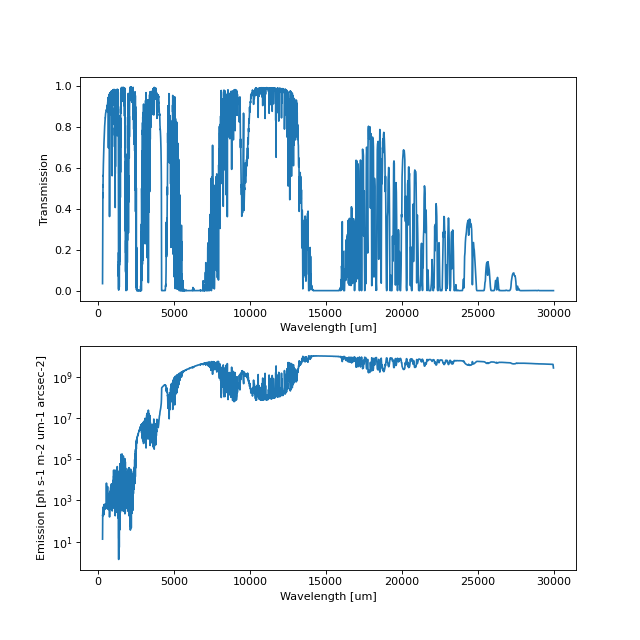
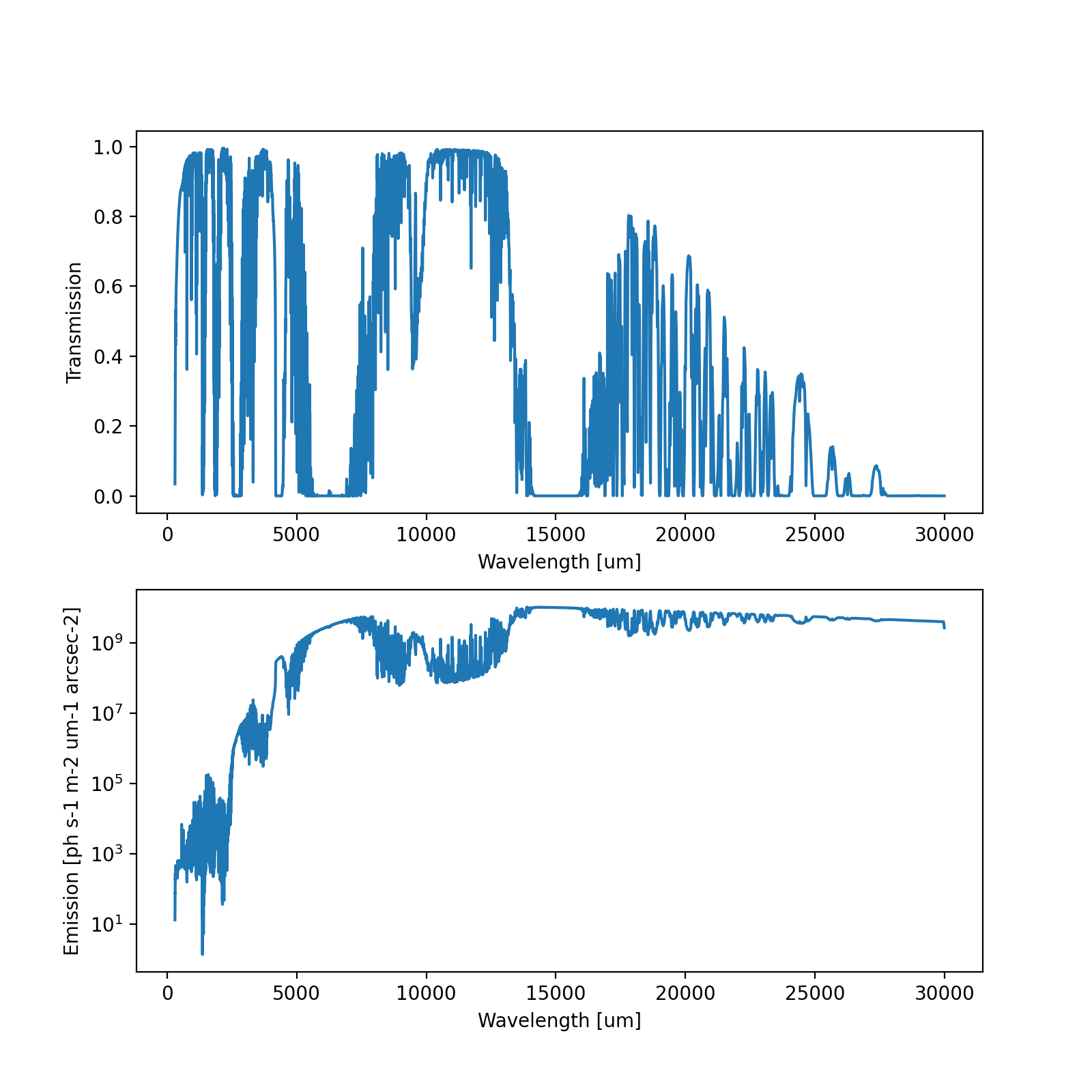
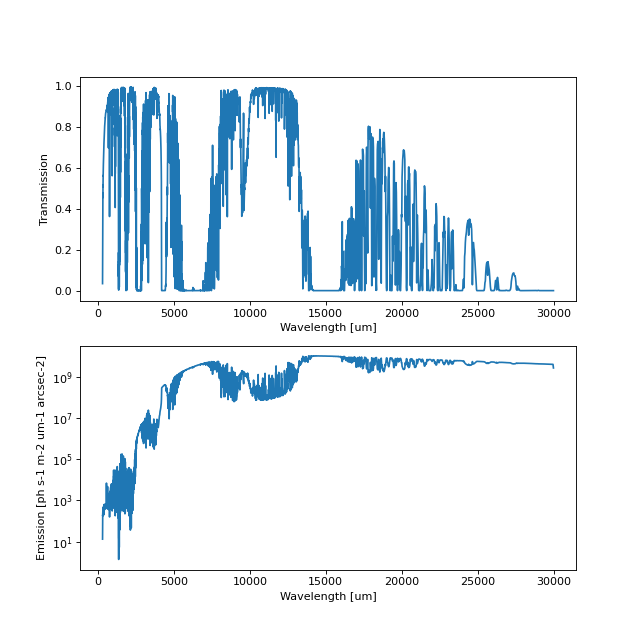
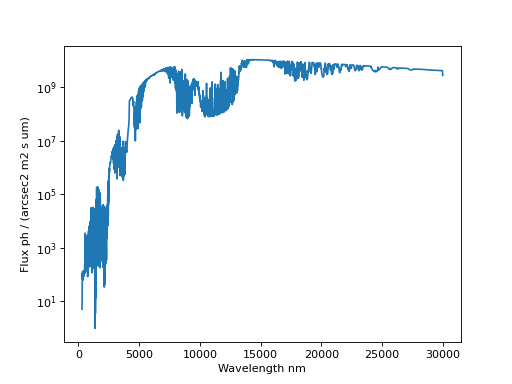
If we were to plot up the columns trans and flux against lam we
would have something like this:
(Source code, png, hires.png, pdf)
Returned FITS file
The FITS file returned from the ESO server is automatically saved in our
working directory under the name skycalc_temp.fits. This can changed by
passing a different name to .get_sky_spectrum(filename=).
Returning different data formats in Python
By default the data returned by the method is formatted as an astropy
Table() object, and is a shortened version of the full
FITS file. In order to have the full 18-column table returned, the parameter
return_type="table-extended" should be passed (tab-ext also works).
A number of formats can be returned by .get_sky_spectrum(return_type=...)
including:
>>> tbl = skycalc.get_sky_spectrum(return_type="array")
>>> tbl = skycalc.get_sky_spectrum(return_type="synphot")
>>> tbl = skycalc.get_sky_spectrum(return_type="tab-ext")
Value |
Shortcut |
Returned |
table |
tab |
an |
table-extended |
tab-ext |
an |
array |
arr |
3 arrays: ( |
synphot |
syn |
2 |
fits |
fit |
an |
none |
none |
a |
Editing parameters
When initiated a SkyCalc object contains all the default parameters
for a SkyCalc query, as given on the SkyCalc CLI website.
The parameter names can be listed by calling keys:
>>> # Print the first 5 keys
>>> skycalc.keys[:5]
['airmass', 'pwv_mode', 'season', 'time', 'pwv']
The current value held in the SkyCalc object can simply be seen by
calling the SkyCalc object directly. Alternatively, one can look in the
values attribute.:
>>> skycalc["airmass"]
1.0
>>> skycalc["airmass"] = 1.2
>>> print(skycalc["airmass"])
1.2
Some of the keywords are not very descriptive. An extended description for
the keywords can be found in the comments attribute:
>>> skycalc.comments["wgrid_mode"]
"Wavelength grid mode ['fixed_spectral_resolution','fixed_wavelength_step']"
Similarly allowed values or ranges for a parameter are kept in the
allowed attrribute:
>>> skycalc.allowed["observatory"]
['lasilla', 'paranal', 'armazones', '3060m', '5000m']
To check what the default value for a parameter was, use the
defaults attribute:
>>> skycalc.defaults["incl_moon"]
>>> 'Y'
In summary, the SkyCalc object contains the following 5
list/dictionaries:
valuesdefaultscommentsallowed
Getting spectral data from the ESO Almanac
It is also possible to get model spectral data for a specific date and time based on the recorded atmospheric conditions using the ESO Almanac service:
>>> skycalc.get_almanac_data(ra=83.8221, dec=-5.3911,
                             date="2018-12-06T06:00:00")
{'airmass': 1.07729,
 'msolflux': -1,                # See WARNING below!
 'moon_sun_sep': 347.059,
 'moon_target_sep': 149.041,
 'moon_alt': -37.9918,
 'moon_earth_dist': 1.02626,
 'ecl_lon': -172.651,
 'ecl_lat': -28.6776,
 'observatory': 'paranal'}
By default the returned values DO NOT overwrite the current skycalc
values. This is to give us the chance to review the data before adding it to
our SkyCalc query. If we already know that we want these values,
we can set the update_values flag to True:
>>> skycalc.get_almanac_data(ra=83.8221, dec=-5.3911,
                             date="2018-12-06T06:00:00",
                             update_values=True)
>>> skycalc["airmass"]
1.07729
Warning
The Almanac currently returns msolflux=-1 for dates after 2019-01-31.
This indicates an error on the Almanac side. The only way to deal with this (without being super hacky) is for the user to reset the average solar flux to something normal before proceeding:
>>> skycalc["msolflux"] = 130 # sfu
If we would like to review the almanac data (i.e. default
update_values=False) and then decide to add them to our SkyCalc
object, the easiest way is with the update() method:
>>> alm_data = skycalc.get_almanac_data(ra=83.8221, dec=-5.3911,
                                        date="2018-12-06T06:00:00",
                                        update_values=False)
>>> skycalc.update(alm_data)
>>> skycalc["airmass"]
1.07729
With the updated parameters we simply call the get_sky_spectrum() method
again to get the spectral data that corresponds to the atmospheric conditions
for our desired date and time:
>>> wave, trans, flux = skycalc.get_sky_spectrum(return_type="arrays")
For dates after 2019-01-31, we must manually reset the average solar flux before calling get_sky_spectrum method again:
>>> skycalc["msolflux"] = 130       # sfu
>>> wave, trans, flux = skycalc.get_sky_spectrum(return_type="arrays")
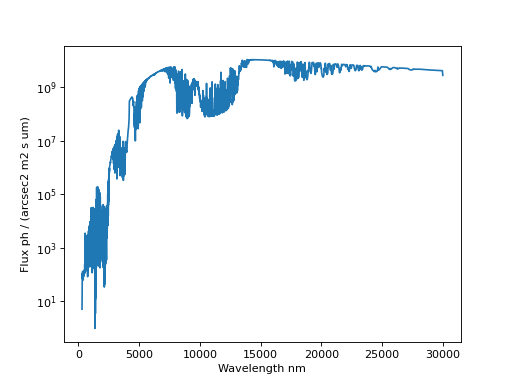
In full we have:
>>> import matplotlib.pyplot as plt
>>> from skycalc_ipy import SkyCalc
>>>
>>> skycalc = SkyCalc()
>>> skycalc.get_almanac_data(ra=83.8221, dec=-5.3911,
...                          date="2017-12-24T04:00:00",
...                          update_values=True)
>>> # skycalc["msolflux"] = 130       # [sfu] For dates after 2019-01-31
>>> tbl = skycalc.get_sky_spectrum()
>>>
>>> plt.plot(tbl["lam"], tbl["flux"])
>>> plt.xlabel("Wavelength " + str(tbl["lam"].unit))
>>> plt.ylabel("Flux " + str(tbl["flux"].unit))
>>> plt.semilogy()
(Source code, png, hires.png, pdf)

Customs lists of values
SkyCalc_iPy uses the pyyaml package to parse input.
More coming here